Arcade
4.1
HoneyDrop
HoneyDrop
6,285
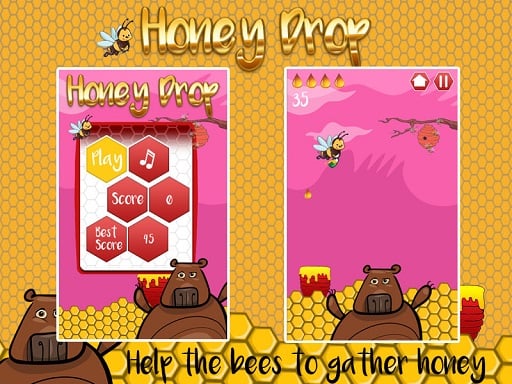
In this game, you assist busy bees in delivering the honey they've diligently collected straight into pots. Despite their hard work, these bees struggle with precision, often dropping honey carelessly. Your role is crucial in guiding them to accurately place the honey they've worked so hard for, ensuring none goes to waste.
Recommended Games
Slime Attack
4.65,177
Mouse - Click to select or interact Touch-screen - Tap to select or engage elements
Stickjet Challenge
5.05,731
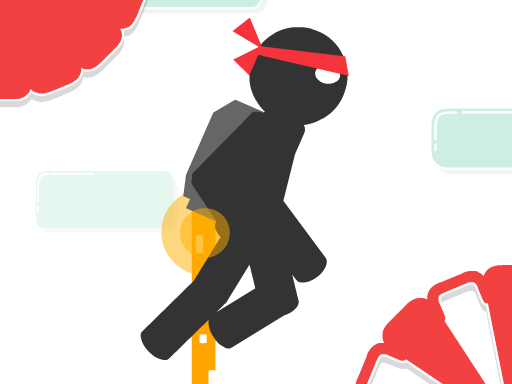
Touch and hold the screen to make your character fly upwards. The longer you hold, the higher they ascend. Release your touch to make the character stop flying and start running automatically along the ground. Adjust your timing of holding and releasing to navigate through obstacles and challenges in the game.

Fire Bird
4.73,930
Click to start or press space. Guide the bird, avoiding pipes to fly as far as possible.
Gap Ball 3D
4.46,345
Use mouse for navigation and interaction. Click to select items or characters. Drag to move objects or人物角色。使用鼠标进行导航和互动。点击以选择物品或角色。拖动以移动物体或
Galactic Snakes io
4.54,813
Controls: Use the mouse to move your spacecraft. Press Space to activate the boost for a speed burst.

Cubes Blast
4.55,698
In Mouse Only, players control a tiny mouse navigating through increasingly complex mazes. Using only the mouse, players click to move their character, avoiding larger predators and obstacles. Collecting cheese increases points, while running into dangers results in losing lives. The objective is to reach the exit before time runs out, with each level offering new challenges and faster speeds.
Candy Monster
4.55,813
Click or tap on the screen to interact and progress through the game. Use these inputs to respond to in-game prompts, solve puzzles, and navigate levels.

Crazy Maze
4.97,401
Use arrow keys on keyboard or tap on screen to control movement and interactions in the game.

Basketball Bounce
4.93,661
Click or tap on the screen to interact and progress through the game. Use these inputs to respond to in-game prompts, solve puzzles, and navigate levels.
Talking Tom Diamond Hunt
4.77,901
Click or tap the screen to interact and control elements within the game. Use these inputs to navigate characters, select options, or trigger actions as indicated by the game interface.
Miner Dash
4.37,584
Use arrow keys on your keyboard or simply tap on the screen to move in the desired direction. This intuitive control scheme allows for easy navigation through the game, enhancing player experience and accessibility.
Snow Patrol
4.96,850
Use the mouse to click and interact with elements on the screen to play.
Ouija Voices
4.94,472
In this game, players use a keyboard for primary commands and navigation, while the mouse handles aiming and interacting with objects in the game environment. This setup allows for precise control during gameplay, enhancing both movement and engagement with the game's elements.
Cube Endless Jumping
4.24,974
Use arrow keys on the keyboard or swipe on the screen to control the character's movements. Tapping on the screen can be used for interactions or actions depending on the game scenario.

Black Or White
4.04,452
Touch the screen to interact with elements and advance through the game by solving puzzles or collecting items.
Endless Neon
4.56,394
In Touch Mouse players navigate through levels by guiding a mouse using touch inputs. Swiping on the screen moves the mouse left, right, up, or down. Collect cheese to score points and avoid cats and traps. Reach the exit door to complete each level. As you progress, levels become increasingly complex with more obstacles and challenges.
Final Night: Zombie Street Fight
4.85,908
Use arrow keys to move left, right, up, or down. Press spacebar to jump over obstacles or reach higher platforms. Tap Z or X to attack enemies or break objects. Hold C to defend against incoming attacks or projectiles. Press Esc or Tab to pause the game and access options.

Talking Baby Ginger
4.25,060
Click or tap the screen to interact and progress through the game. Use these inputs to respond to in-game prompts, solve puzzles, and navigate challenges.
PvP Pong Challenge
4.83,867
Use keyboard, mouse, or touchscreen taps to interact and control elements within the game, enhancing navigation and engagement seamlessly.
One Jump Bomb
4.96,852
GAME CONTROLS Use the Spacebar as a jump button. Press ESC to pause the game. Use M or RT to toggle music on and off for a muted or unmuted experience.