Arcade
4.1
Narrow Passage For Halloween
Narrow Passage For Halloween
3,747
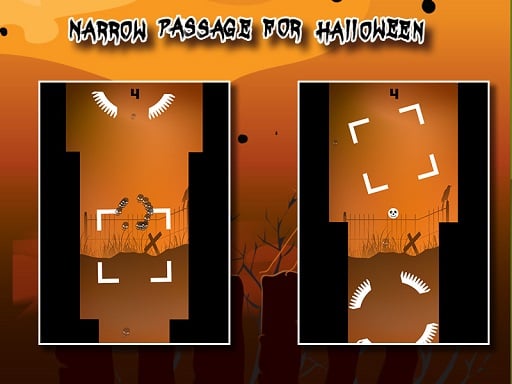
In Narrow Passage – Halloween game, simply tap the screen to jump over various obstacles and keep moving forward. However, the challenge intensifies as you progress. Expect a variety of tricky obstacles that test your reflexes. Remember, the side walls are closing in on you constantly, so staying on any obstacle for too long will make the passage even narrower, adding an extra layer of difficulty.
Recommended Games

Basketball Bounce
4.93,661
Click or tap on the screen to interact and progress through the game. Use these inputs to respond to in-game prompts, solve puzzles, and navigate levels.

Rise Egg Up
4.65,995
Touch and drag the shield around to guard the egg, moving it swiftly to intercept any incoming threats before they can reach and harm the egg.
PACMAN
4.64,291
Use arrow keys on the keyboard to move left, right, up, or down within the game environment. This navigation allows players to control their character's direction for various actions like collecting items, avoiding obstacles, or reaching specific locations.

Geometry Dash: Mr Dubstep
4.14,703
Controls include left mouse button for jumping, allowing for double jumps, right mouse button to drop objects that can eliminate enemies, space bar to invert gravity providing unique movement dynamics, D for a boost to quickly traverse levels, and F to activate a special power enhancing capabilities momentarily.
Relic Runway
4.84,470
Slide arrows to navigate and control your character's movement through the levels. Swipe left, right, up, or down on the screen to direct your character, avoiding obstacles and collecting rewards along the way.

Fidget Spinner.io
4.53,068
Click or tap on the screen to interact and progress through the game. Use these inputs to respond to in-game prompts, solve puzzles, or control character actions effectively.
Endless Neon
4.56,394
In Touch Mouse players navigate through levels by guiding a mouse using touch inputs. Swiping on the screen moves the mouse left, right, up, or down. Collect cheese to score points and avoid cats and traps. Reach the exit door to complete each level. As you progress, levels become increasingly complex with more obstacles and challenges.
Alien Invasion
4.64,607
Click or tap on the screen to interact and control elements within the game. Use these inputs to navigate characters, select options, or trigger actions as indicated by the game interface.
Stone Merge
4.23,587
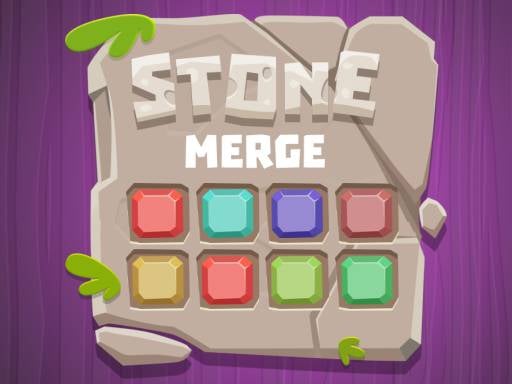
Slide blocks or rocks onto matching numbers or relocate them if no match is available.
Scary Helix
4.27,429
Use the mouse to click and interact with elements on the screen to play.
PvP Pong Challenge
4.83,867
Use keyboard, mouse, or touchscreen taps to interact and control elements within the game, enhancing navigation and engagement seamlessly.
Shoot Your Nightmare: Space Isolation
4.83,618
W A S D to move around Mouse to look around Left mouse button to shoot Right mouse button to aim Mouse wheel to switch weapons G to throw grenades R to reload F to pick up items Left Shift to sprint Left CTRL to crouch X to prone Space to jump

Yeti Sensation
4.74,272
Keys and swipes navigate movement, guiding characters smoothly through levels with simple gestures or key presses for accessibility and ease.

Talking Baby Ginger
4.25,060
Click or tap the screen to interact and progress through the game. Use these inputs to respond to in-game prompts, solve puzzles, and navigate challenges.

BTS Cute Cats Coloring
4.13,528
Click or tap on the screen to interact and progress through the game. Use these inputs to respond to in-game prompts and solve challenges.
Halloween Defence
4.53,523
Use mouse clicks or screen touches to interact with the game elements. Each click or touch can select items, trigger actions, or navigate through menus. This direct interaction allows for intuitive and responsive gameplay, enhancing user engagement and control within the game environment.

Pacman Adventure
4.36,144
Use arrow keys on your keyboard or tap the corresponding directional buttons on the screen to control the movement of the character. Navigate left, right, up, or down depending on the challenges presented in the game.
Stickjet Challenge
5.05,731
Touch and hold the screen to make your character fly upwards. The longer you hold, the higher they ascend. Release your touch to make the character stop flying and start running automatically along the ground. Adjust your timing of holding and releasing to navigate through obstacles and challenges in the game.
Cube Endless Jumping
4.24,974
Use arrow keys on the keyboard or swipe on the screen to control the character's movements. Tapping on the screen can be used for interactions or actions depending on the game scenario.

Talking Tom Diamond Hunt
4.77,901
Click or tap the screen to interact and control elements within the game. Use these inputs to navigate characters, select options, or trigger actions as indicated by the game interface.